
Your Financial Records Don’t Need a Better Filing System. They Need Fewer Places to Live.

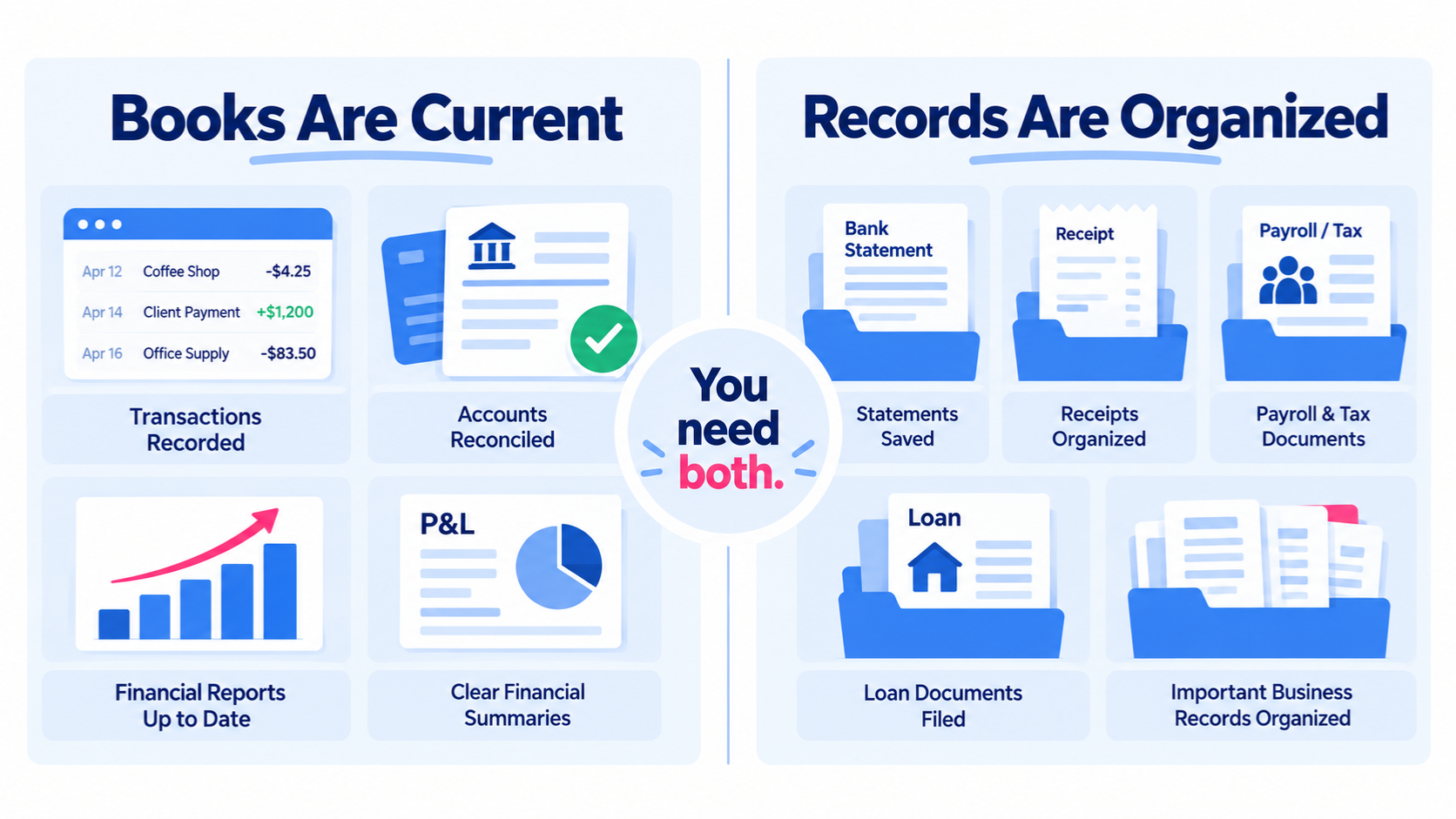
You can keep your bookkeeping current and still have financial information scattered all over the place.
Your transactions are categorized. Your bank account is reconciled. Your reports are up to date.
But the bank statement is in a portal. A receipt is in your email. Payroll reports live somewhere else. The loan paperwork is in Downloads. The documents for a large equipment purchase may be in a folder you created six months ago and have not opened since.
That is why learning how to organize business finances is not only about setting up bookkeeping software. If you are still deciding what the software itself needs to do, start with this guide to simple bookkeeping software for small-business owners.
Your bookkeeping software holds the accounting record.
It is not your entire financial filing system.
The simplest way I know to organize the information behind the books is to give it a small number of predictable homes.
A Simple 5-Home System for Business Financial Records
I would start with five categories:
Bank & Card Records
Income & Sales Records
Expense & Purchase Records
Payroll, Contractors & Tax Records
Loans, Assets & Owner Records
You can build these as folders in Google Drive, Dropbox, OneDrive, or whatever file system you already use.
The tool matters much less than the rule:
When an important financial record comes in, you should already know where it belongs.
That is what makes the system usable.
1. Bank & Card Records
Start with the accounts where business money moves.
Create a place for the records tied to each bank account, credit card, and other financial account you regularly use.
That may include:
monthly bank statements
monthly credit-card statements
relevant payment-account statements or summaries
account-opening or account-closing documents
other records you may need to verify a balance later
Why this matters
Your bookkeeping software can show you the balance of a bank account.
A bank statement is the outside record used to confirm whether that balance is correct.
If you reconcile monthly, the statement used for that reconciliation should be easy to find again.
A simple structure might look like:
2026 → Bank & Card Records → Business Checking → January Statement
Then repeat the same pattern for every account.
Keep the naming boring
Use filenames that sort naturally and tell you what the file is without opening it.
For example:
2026-01 Business Checking Statement.pdf
2026-02 Business Checking Statement.pdf
2026-03 Business Checking Statement.pdf
You do not need a clever naming system. You need one you will keep using.
2. Income & Sales Records
The deposit in your bank account is not always the complete record of a sale.
This is especially true if you use invoices, merchant processors, payment platforms, or other systems between the customer and your bank account.
Depending on your business, this home may include:
customer invoices
sales summaries
merchant-processor reports
support for large or unusual deposits
refund or adjustment records
other documentation that explains how money came into the business
Example: a net deposit
Suppose a payment processor sends $4,820 to your bank account.
The bank feed can tell you $4,820 arrived.
It may not tell you the gross sales amount, the processing fees, any refunds, or other activity that produced that deposit.
The bookkeeping needs the accounting treatment.
The supporting record explains the transaction.
You do not have to save every possible sales document. Save the information that would be difficult to reconstruct later.
3. Expense & Purchase Records
This is where receipts, vendor invoices, and purchase support belong.
But there is an important distinction here:
Organized does not mean saving everything just because you can.
The goal is to keep the records that may actually matter later.
That can include:
receipts for purchases that are not obvious from the bank description
vendor invoices
support for large purchases
documentation for mixed or unusual transactions
business-purpose support when it is useful
When is a receipt worth saving?
A useful rule is to ask:
If I looked at this transaction six months from now, would the bank description alone tell me what I need to know?
If yes, you may not need a separate document for your own bookkeeping workflow.
If no, keep the support while the transaction is still fresh.
For example, an Amazon charge may need an order detail because the vendor name alone tells you almost nothing about what was purchased.
A large equipment purchase should have more support than a merchant name and amount.
4. Payroll, Contractors & Tax Records
Some financial records are created outside your bookkeeping system entirely.
Payroll is a good example.
A payroll platform may calculate wages, taxes, deductions, and liabilities. The bank account shows money moving, but the payroll report explains why those amounts moved.
Depending on your business, this home may include:
payroll reports
year-end payroll records
contractor information
W-9s or other contractor support
sales-tax records if applicable
tax notices or correspondence
other tax or compliance records received during the year
Why this category deserves its own home
These records often end up scattered because they come from different places.
One document arrives by email. Another lives in a payroll portal. Another comes in the mail. Another is downloaded from a state website.
If they all have the same destination, year-end becomes much easier.
5. Loans, Assets & Owner Records
The last home is for financial activity that tends to matter beyond the month in which it happened.
This can include:
loan agreements
loan statements
financing documents
major equipment or vehicle purchase documents
records related to selling or disposing of an asset
owner contribution support
owner draw or distribution support when needed
other longer-term financial records
These are often the transactions where a bank feed tells the least complete story.
A large deposit might be a loan, owner contribution, or revenue.
A loan payment can contain both principal and interest.
An equipment purchase can affect cash, debt, and fixed assets at the same time.
The bookkeeping software needs the accounting answer.
You still want the documents that explain how you got there.

Your Bookkeeping Software Is Not Your Financial Filing System
This is the piece that makes the system easier to understand.
Your bookkeeping software has one job.
It records the financial activity of the business so you can reconcile accounts and produce useful reports.
Your filing system has a different job.
It holds the documents and information that support, explain, or verify that financial activity.
Those systems should connect, but they do not have to be the same thing.
For example:
In the books: Equipment purchase, $6,700, properly categorized.
In the records: Invoice, receipt, financing paperwork, and any other document needed to explain the purchase.
In the books: Loan payment split between principal and interest.
In the records: Loan statement that shows the split.
In the books: Checking reconciled through August.
In the records: August bank statement used for the reconciliation.
Thinking of the books and the records as two parts of the same financial system is much more useful than trying to force every document into the bookkeeping software.
Do Not Overbuild the Filing System
One of the easiest ways to make financial organization unsustainable is to create too much of it.
You do not need:
a separate folder for every expense category
a document attached to every five-dollar transaction
a complicated naming convention you have to look up every time
five levels of subfolders before you reach the actual document
Start with the five homes.
Add a subfolder only when it solves a real problem.
For example, Bank & Card Records will probably need a folder for each account because statements repeat every month.
Loans, Assets & Owner Records may need subfolders for individual loans or major assets because those records stay relevant for several years.
Expense & Purchase Records may need only a year folder unless the volume is high.
Keep the system as simple as your business allows.
A Monthly Routine That Keeps the Records Current
You do not need to wait until tax season to organize financial records.
A short monthly check is much easier. If the bookkeeping routine itself is what tends to slip, use this four-step weekly bookkeeping checklist alongside the records routine below.
At the end of each month:
☑️ Save bank and credit-card statements.
☑️ File any important sales or deposit support.
☑️ Save receipts and invoices for unusual or major purchases.
☑️ File payroll, contractor, tax, or sales-tax records that arrived that month.
☑️ Add any new loan, asset, or owner documents.
That is it.
The goal is not to re-organize the entire business every month.
You are simply giving new financial information a home before it turns into a year-end search project.
How to Start If Your Financial Records Are Already a Mess
Do not begin by trying to fix five years of history.
Start with the current year.
Create the five homes and begin filing new records correctly from today forward.
Then work backward only when there is a reason.
If you are reconciling an old month and need the statement, save it in the right place when you retrieve it.
If you are reviewing a loan and find the original paperwork, file it while you have it open.
If your accountant asks for something from earlier in the year, put it in the correct home once you find it.
This approach improves the system without turning organization into a separate full-time job.
The Year-End Test
There is a simple way to tell whether the system is working.
Ask yourself:
If my tax accountant asked me for a financial record from earlier this year, would I know where to look first?
You may still have to open the folder and find the exact file.
That is fine.
The important part is that you are not starting with a scavenger hunt across your entire digital life.
That is what organized business finances should give you.
Not more folders.
Not more software.
A predictable place for the information you will need again.
Common Questions About Organizing Business Finances
-
Some bookkeeping systems let you attach statements, receipts, and other documents, and that can be useful. But you do not need the bookkeeping software to become your entire filing system. A separate, well-organized file system can keep the source documents portable and easy to access while the bookkeeping software handles the accounting.
-
Your legal and tax recordkeeping requirements can depend on the type of record and your situation, so follow the guidance of your tax professional for what must be retained. From a bookkeeping-workflow standpoint, prioritize records that explain transactions the bank description cannot explain, larger or unusual purchases, and documents you are likely to need again.
-
Use a small number of consistent top-level categories, organize by year, and add account- or topic-specific subfolders only when they solve a real retrieval problem. The five-home framework in this article is a practical starting point.
-
A short monthly routine is usually easier than waiting until year-end. Save recurring statements and file important new documents as part of the same monthly bookkeeping rhythm.
-
The exact list depends on your business and your accountant, but the goal of this system is to make the supporting financial records easy to locate when requested. Keep statements, payroll and contractor records, tax documents, loan and asset information, and other important supporting records organized throughout the year rather than assembling them from scratch at tax time.
Organized Means You Know Where the Information Belongs
You do not need a perfect digital filing cabinet.
You need a system you understand well enough to use without thinking about it every time.
Your books tell the financial story.
Your records support that story.
Keep the transactions current, give the supporting information a predictable home, and year-end becomes much less dependent on memory.
If you do your own bookkeeping and want practical systems that make the work easier to keep up with, subscribe to Own Your Bookkeeping for weekly bookkeeping guidance.