
Weekly Bookkeeping Checklist: The 4-Step Routine That Keeps Your Books Current

If bookkeeping keeps turning into a project, the problem may not be the bookkeeping itself. You may simply be waiting too long to do it.
A month of transactions is a project. A quarter of transactions is definitely a project. A few days of activity is usually just maintenance.
That is why a simple weekly bookkeeping routine works so well for small business owners who do their own books. You are not trying to close the month every Friday. You are keeping the information current enough that you still remember what happened, problems are small when you find them, and month-end does not begin with a pile of questions.
The weekly routine I recommend is simple:
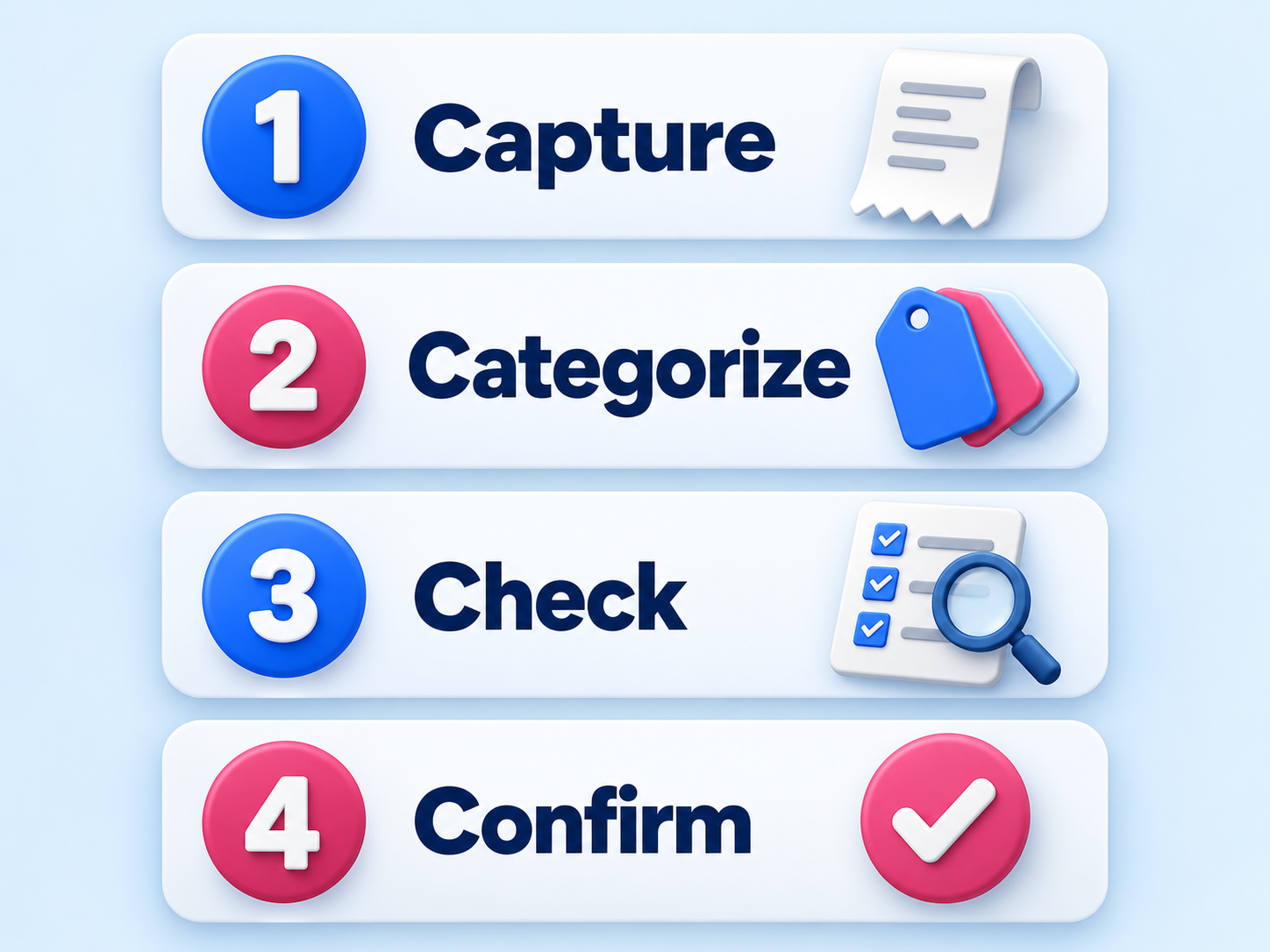
Capture → Categorize → Check → Confirm
Those four steps give you an order to follow so you do not have to decide where to start every time you open your bookkeeping software.
Weekly Bookkeeping Checklist at a Glance
Use this as the quick version:
☐ Capture: Make sure the week's financial activity and supporting information are accounted for.
☐ Categorize: Review and categorize transactions intentionally instead of accepting software suggestions without looking at them.
☐ Check: Look for duplicates, missing activity, uncategorized items, personal/business mix-ups, and anything that simply does not make sense.
☐ Confirm: Resolve what you can, keep a short list of open questions, and know what is ready to wait for month-end.
The important part is not making the routine more elaborate. It is doing these steps often enough that bookkeeping stays small.
Step 1: Capture the Week's Financial Activity
Start by making sure you are looking at the whole week, not just whatever happened to download into a bank feed.
Depending on your business, that may include activity from:
business checking and savings accounts
business credit cards
payment processors such as Stripe, Square, PayPal, or merchant services
loan or line-of-credit activity
cash transactions
receipts, invoices, or other supporting information you will need to understand a transaction later
This does not mean you need to build a complicated receipt system before you can do your weekly bookkeeping. The goal is much simpler: make sure the information you need is still easy to find while the transaction is fresh in your mind.
If you bought supplies at a store on Tuesday, you probably know exactly what that charge was on Friday. Three months from now, the same charge may look like a mystery.
That is why one of the best bookkeeping habits is to capture the explanation when you still remember it.
What software can do here
Your bookkeeping software can connect to accounts and bring transactions into one place. That is useful. It saves data-entry time.
What it cannot do is guarantee that every transaction you need is there, tell you why you made a purchase, or know whether a charge belongs to the business just because it came through a connected account.
A bank feed moves data. It does not replace your review.
Step 2: Categorize Transactions Intentionally
Once the week's activity is in front of you, review the transactions and categorize them.
This is where bookkeeping software can make the process feel more automatic than it really is. Rules, remembered categories, and suggested matches can save a lot of time. They can also repeat a mistake very efficiently.
Before you accept a category, make sure you understand what the transaction was.
For each item, you should be able to answer basic questions such as:
Who did I pay or receive money from?
What was the business purpose?
Is this an expense, income, transfer, owner transaction, loan activity, or something else?
Does the suggested category actually make sense?
Does this transaction need to be split between more than one category?
You do not need to become an accountant to do this well. You do need enough understanding to recognize when the software's answer does not fit what actually happened.
⚠️ Be especially careful with transfers
Transfers are one of the easiest places for DIY bookkeeping to go sideways. Money moving from one business account to another is not automatically income or an expense. Credit-card payments, loan transfers, and owner contributions or withdrawals can also be misread if you are only looking at one side of the activity.
When something represents money moving between accounts rather than new income or a true business expense, slow down and make sure both sides are being handled correctly.
Step 3: Check for Things That Do Not Make Sense
Do not stop because every transaction has a category.
This is the step that turns bookkeeping from data entry into review.
Look through the week's activity and ask whether anything seems wrong or incomplete.
A useful weekly check includes looking for:
duplicate transactions
missing transactions or accounts that have not updated
uncategorized or partially categorized activity
personal purchases mixed into business activity
transfers that were treated as income or expenses
transactions with unfamiliar payees
amounts that look unusual for the vendor or category
negative or strange balances that do not match what you know about the business
items you accepted only because the software suggested them
You are not trying to perform a full audit of your books every week. You are giving yourself a chance to catch small problems before they become part of a larger cleanup.
The cleanups that take hours usually did not start as hour-long problems. They often started as something that would have taken a few minutes to fix when it first happened.
Step 4: Confirm What Is Done and What Still Needs an Answer
The last step is one people often skip.
Before you close the software, decide whether the week's bookkeeping is actually in a good stopping place.
Ask:
Is the week's activity accounted for?
Are the transactions I understand categorized?
Did I identify anything that looks wrong?
Do I have a short list of questions that still need answers?
Is there anything I need to follow up on before month-end?
Do not leave an unfamiliar transaction sitting there because you hope you will remember to come back to it. Put the question somewhere you will actually see it.
Your weekly review does not have to end with every possible bookkeeping task finished. It should end with you knowing what is complete and what is not.
That is a very different feeling from simply closing the browser and hoping everything is fine.
What Should Wait Until Month-End?
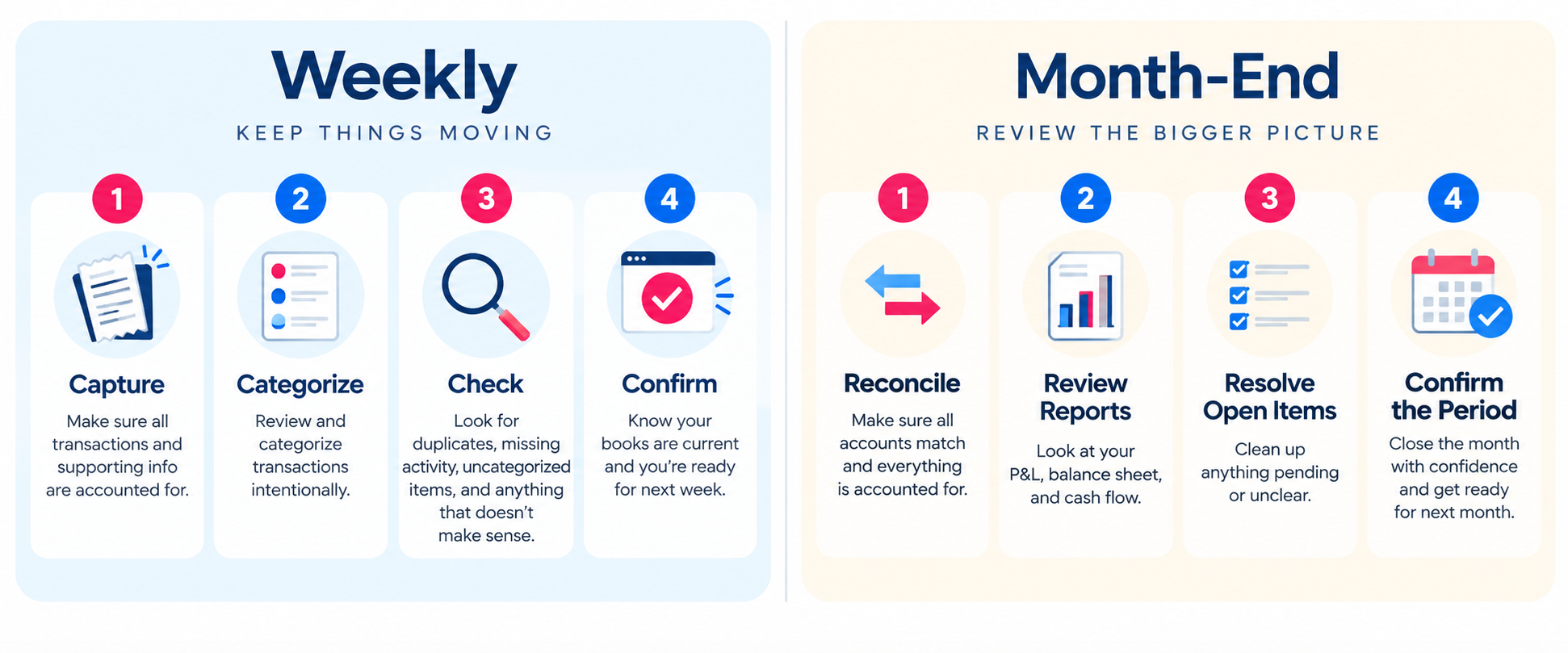
Weekly bookkeeping and month-end bookkeeping are related, but they are not the same job.
Your weekly routine is about keeping activity current and catching problems while they are still easy to investigate.
Month-end is when you step back and confirm the complete period.
Typical month-end work may include:
formally reconciling bank and credit-card accounts to their statements
reviewing the full month's profit and loss statement and balance sheet
making or reviewing month-end adjustments that apply to your business
following up on unresolved items from the month
checking that balances and reports make sense before you rely on them
Some businesses may choose to reconcile more frequently, especially if transaction volume is high. That is fine. The point is that you do not need to turn every weekly review into a formal month-end close.
Your Weekly Bookkeeping Routine
If you want one simple routine to remember, use this:
Capture → Categorize → Check → Confirm
Capture what happened while you still remember it. Categorize it intentionally. Check for anything that looks wrong. Confirm what is complete and what still needs an answer.
Then close the software and go run your business.
That is the point of a weekly routine. Bookkeeping should become something you maintain, not something that keeps turning into a rescue project.
Want the version I would personally follow?
The first Own Your Bookkeeping Substack article walks through the exact four-step routine I would use if I were doing my own bookkeeping, including where I would let the software help and where I would slow down and review the work myself.
Read Stop Treating Bookkeeping Like a Project on Substack.
Frequently Asked Questions
-
At minimum, make sure the week's financial activity is captured, review and categorize transactions, check for obvious errors or missing information, and identify anything that still needs an answer. Formal reconciliation and final report review can remain part of your month-end process unless your business benefits from doing them more frequently.
-
Not necessarily. Many small businesses formally reconcile accounts monthly when statements are available. A higher-volume business may benefit from more frequent reconciliation or review. The weekly checklist is meant to keep transactions current and problems visible, not force every business into the same closing schedule.
-
No. Bank feeds import transaction data into bookkeeping software. They can save time, but they do not know the business purpose of every transaction or guarantee that the suggested category, match, or treatment is correct.
-
Do not guess just to clear it from the feed. Check the receipt, vendor, bank detail, email confirmation, or other source while the transaction is still recent. If you cannot resolve it immediately, add it to a short open-items list and follow up before month-end.
-
Start keeping current transactions current immediately and treat the historical backlog as a separate catch-up project. That keeps the backlog from continuing to grow while you work through older activity.