
OYB Organizer
Keep the records.
Keep your business records easy to find and easy to hand off.
Organizer gives you one structured place for the statements, receipts, tax records, vendor documents, reports, and other files that support your books, without forcing you to rebuild your bookkeeping system.
Apply to Beta Test OrganizerOrganizer is currently in beta.
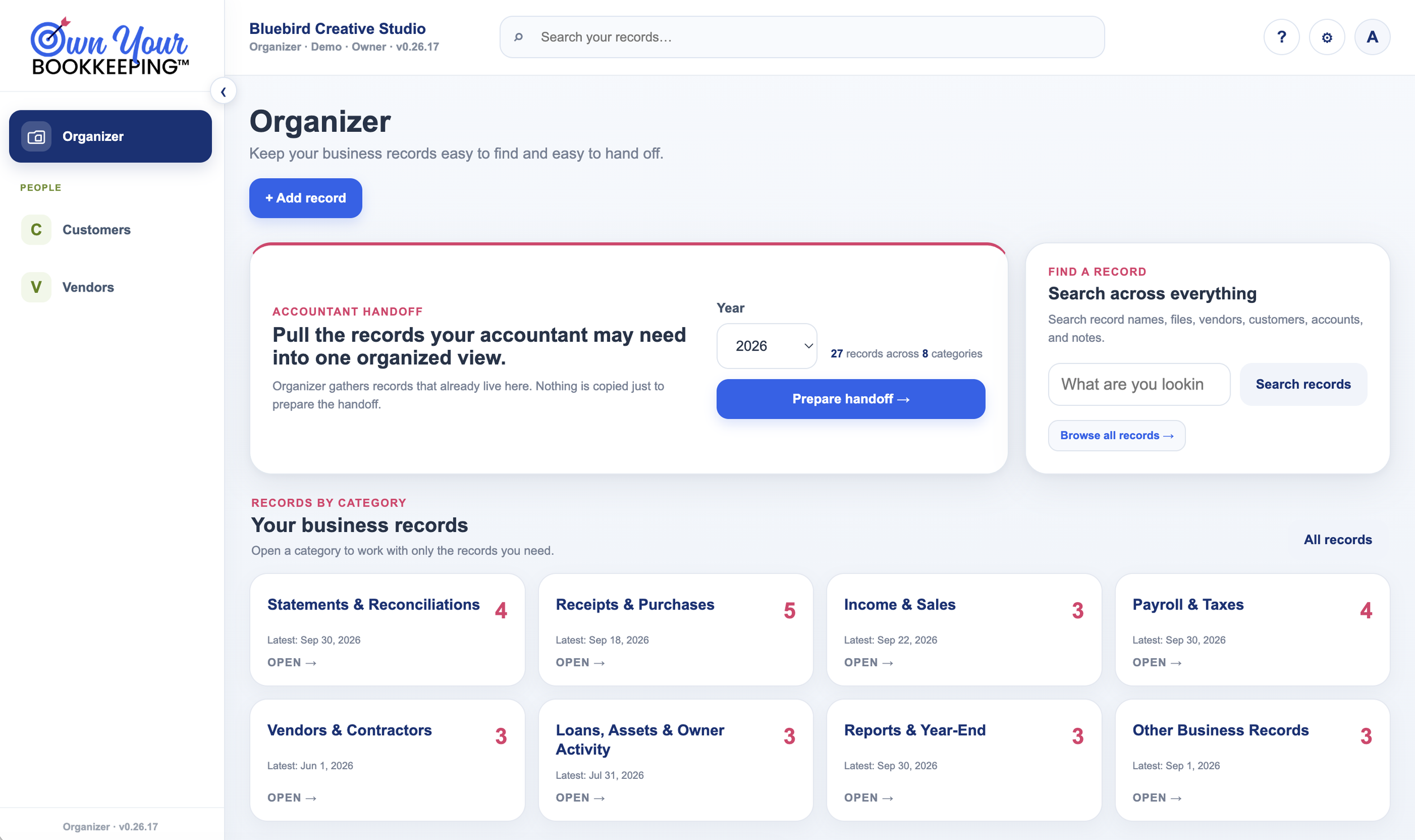
The records behind the books
Your bookkeeping can be organized while the records behind it are still scattered.
A transaction can be recorded correctly in your books while the document behind it is still sitting somewhere else:
- Downloads
- A bank or credit-card portal
- A payroll system
- A vendor website
- A desktop folder
- Another cloud folder
That isn’t a problem with your bookkeeping software. The supporting record simply lives in a different place, and it usually stays there until someone asks for it.
Organizer gives those records a home before you need to go looking for them.
How it works
Save it once. Find it when you need it.
-
Add the record
Upload the statement, receipt, report, tax document, or other business file.
-
Give it context
Add the date, year, category, connection, and any note you will want later.
-
Find it again
Browse by category or search across the entire record library.
-
Hand it off
Pull together the records someone else needs without rebuilding a folder from scratch.
Structured records
Keep the file and the context together.
Organizer does more than put a file in a folder. Each record keeps the details you will want when you come back to it later.
- Category
- Record type
- Date
- Year
- Vendor or customer
- Another record connection
- Notes
- The original file
The file stays in the company owner’s Google Drive.

Records by category
Work with the records you need without digging through everything else.
Open a category and work only with that group of records. When a record is connected to a vendor or customer, that connection appears with it.
- 01Statements & Reconciliations
- 02Receipts & Purchases
- 03Income & Sales
- 04Payroll & Taxes
- 05Vendors & Contractors
- 06Loans, Assets & Owner Activity
- 07Reports & Year-End
- 08Other Business Records
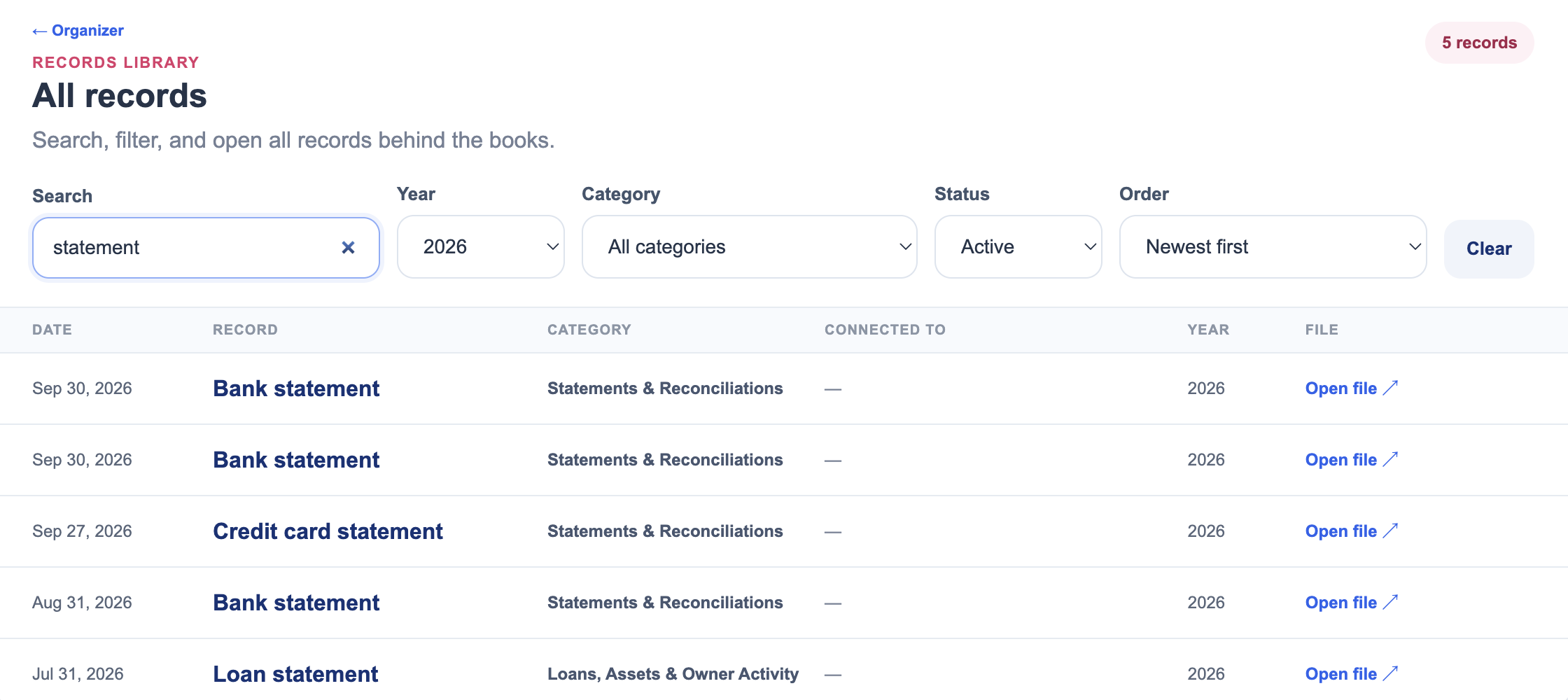
Find a record
Search what you remember, not where you saved it.
Search across
- Record names
- Filenames
- Vendors
- Customers
- Accounts
- Notes
Filter by
- Year
- Category
- Status
- Sort order
Your records stay yours
Organizer helps you organize the files. It does not take them away from you.
- Uploaded files live in the company owner’s Google Drive.
- Organizer gives them structure and context.
- The source file can be opened in Drive.
- Records can be updated, replaced, or archived from Organizer.
Accountant Handoff
Pull together what they need without rebuilding a year of records.
Organizer already knows what records you collected during the year. When it is time to hand them off, choose the year, review what is available, and decide what should be included.
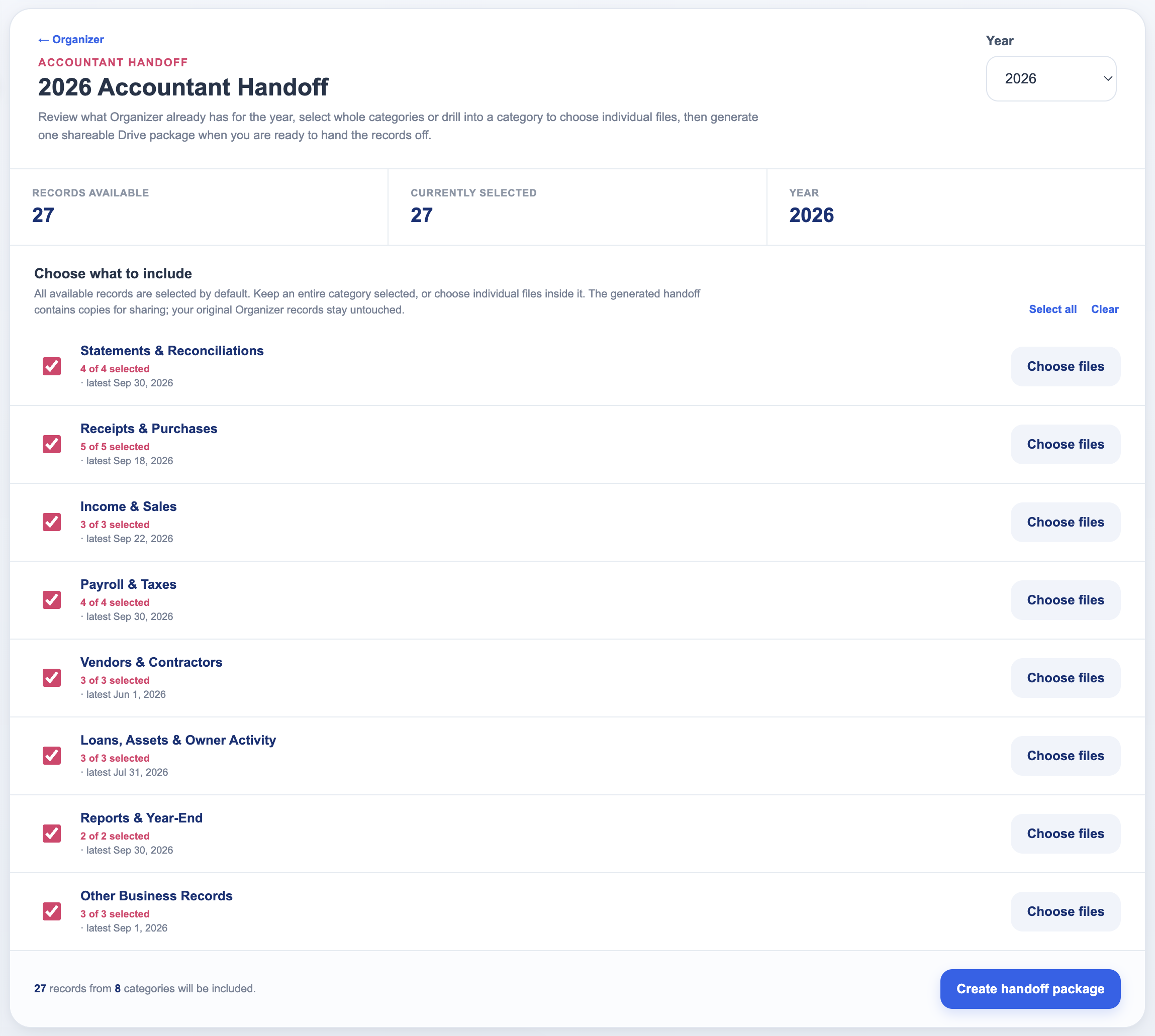
- Grouped by categoryThe year’s records are organized into the same categories you use every day.
- Include whole categoriesAdd an entire category to the handoff in one step.
- Drill into a categoryOpen any category to see exactly what is in it.
- Choose individual filesSelect only the records that should be included.
- One shareable packageOrganizer generates a single shareable Drive package.
- Originals stay untouchedCreating a handoff package does not change the original Organizer records.
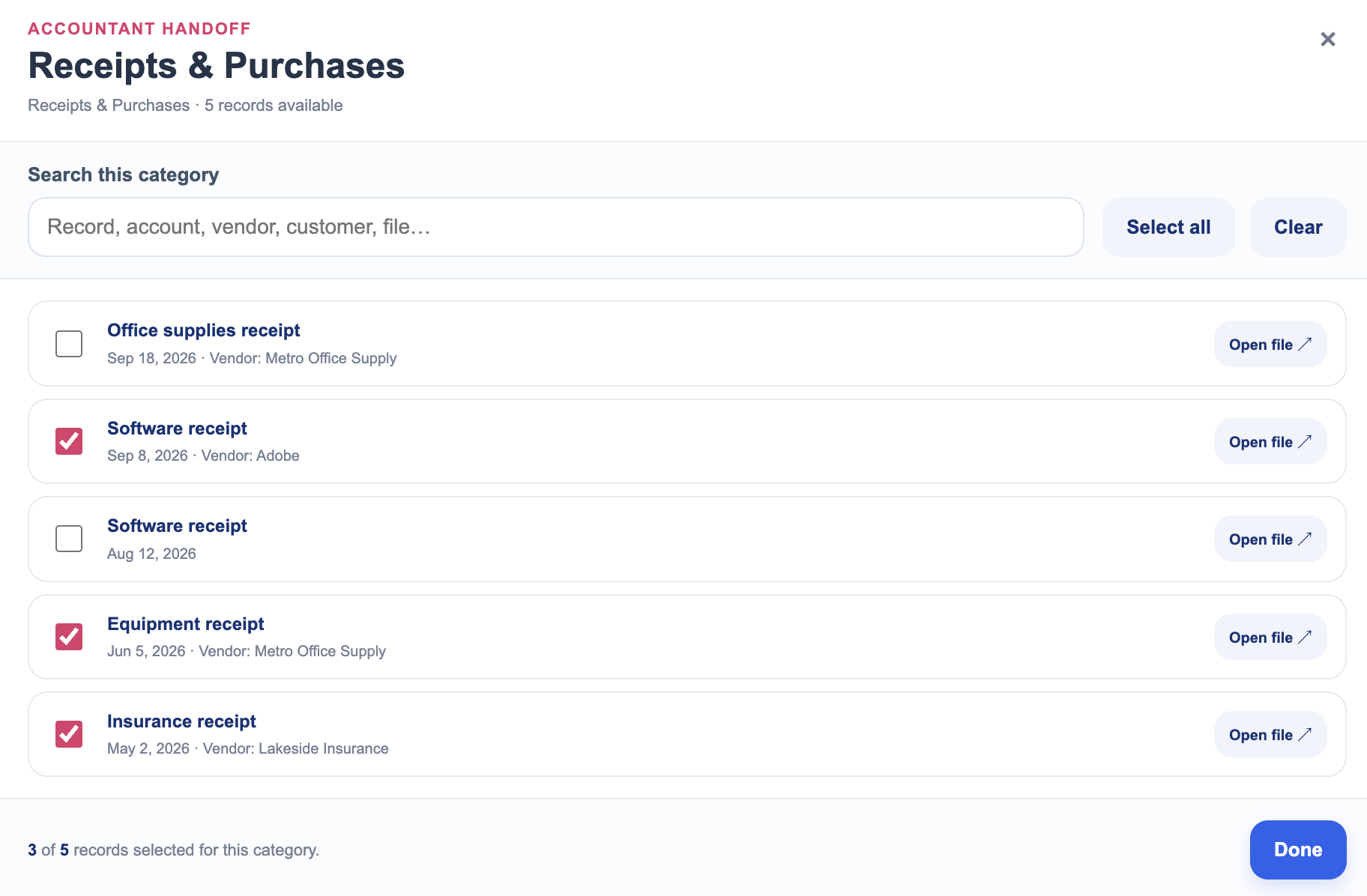
Choose individual files when a full category is more than they need.
The important distinction
Organizer keeps the records. Your bookkeeping system keeps the books.
Organizer does not replace bookkeeping software and does not record or reconcile transactions. It keeps the supporting records behind the books organized so they are easier to find and easier to share.
Bookkeeping
- Record
- Categorize
- Reconcile
- Books up to date
Organizer
- Collect
- Connect
- Find
- Hand off
Is it right for you?
Built for owners who are tired of hunting for business records.
A good fit if you:
- Keep business records in several different places
- Want receipts, statements, tax documents, and other supporting records organized during the year
- Want to find an old record without remembering exactly where you saved it
- Want records connected to useful business context
- Want an easier way to prepare records for an accountant or bookkeeper
- Want the original files to remain in your own Google Drive
Probably not what you need if you’re looking for:
- Bookkeeping software
- Transaction categorization
- Bank reconciliation
- Someone to perform bookkeeping for you
- Document scanning or OCR automation
- A replacement for professional record-retention or compliance advice
Pricing
Keep the records. One simple price.
Organizer
or $120/year
Save $24 with annual billing- Organized record library
- Eight business record categories
- Search across all records
- Year, category, and status filters
- Vendor and customer connections
- Notes and record context
- Files stored in the owner’s Google Drive
- Record replacement and archiving
- Accountant Handoff
- Category and individual-file selection
Organizer is currently in beta.
Questions
Does Organizer do my bookkeeping?
No. Organizer keeps the supporting records behind your books organized. Your bookkeeping still happens in your bookkeeping system.
Where are my files stored?
Files added through Organizer stay in the company owner’s Google Drive.
Can I search all of my records?
Yes. Organizer can search record names, filenames, vendors, customers, accounts, and notes, with additional filters for year, category, and status.
Can I replace or archive a record later?
Yes. Individual Organizer records can be updated, have their file replaced, or be archived.
What is Accountant Handoff?
Accountant Handoff lets you review the records Organizer already has for a year, include entire categories or select individual files, and create one shareable Drive package without changing the original records in Organizer.
Do I need Foundations to use Organizer?
No. Organizer is a separate OYB product, and it is not included with Foundations. You can use it on its own, alongside whatever bookkeeping system you already use.
What will Organizer cost?
Organizer will be $12/month or $120/year after beta.
Stop rebuilding your records when someone finally asks for them.
Keep them organized as you go, then find and hand off what you need when the time comes.
Apply to Beta Test Organizer