
OYB Monthly Check-In
Your books are done.
Now see what changed.
Works with OYB Books or the bookkeeping system you already use.
Review your finished numbers, see which accounts changed and why they might deserve attention, and stay ahead of upcoming financial dates and reminders.
Included with OYB Books. Also available separately if you use QuickBooks, Xero, a spreadsheet, or another bookkeeping ledger.
Apply to Beta Test Monthly Check-InNot ready to beta test? Join the waitlist →
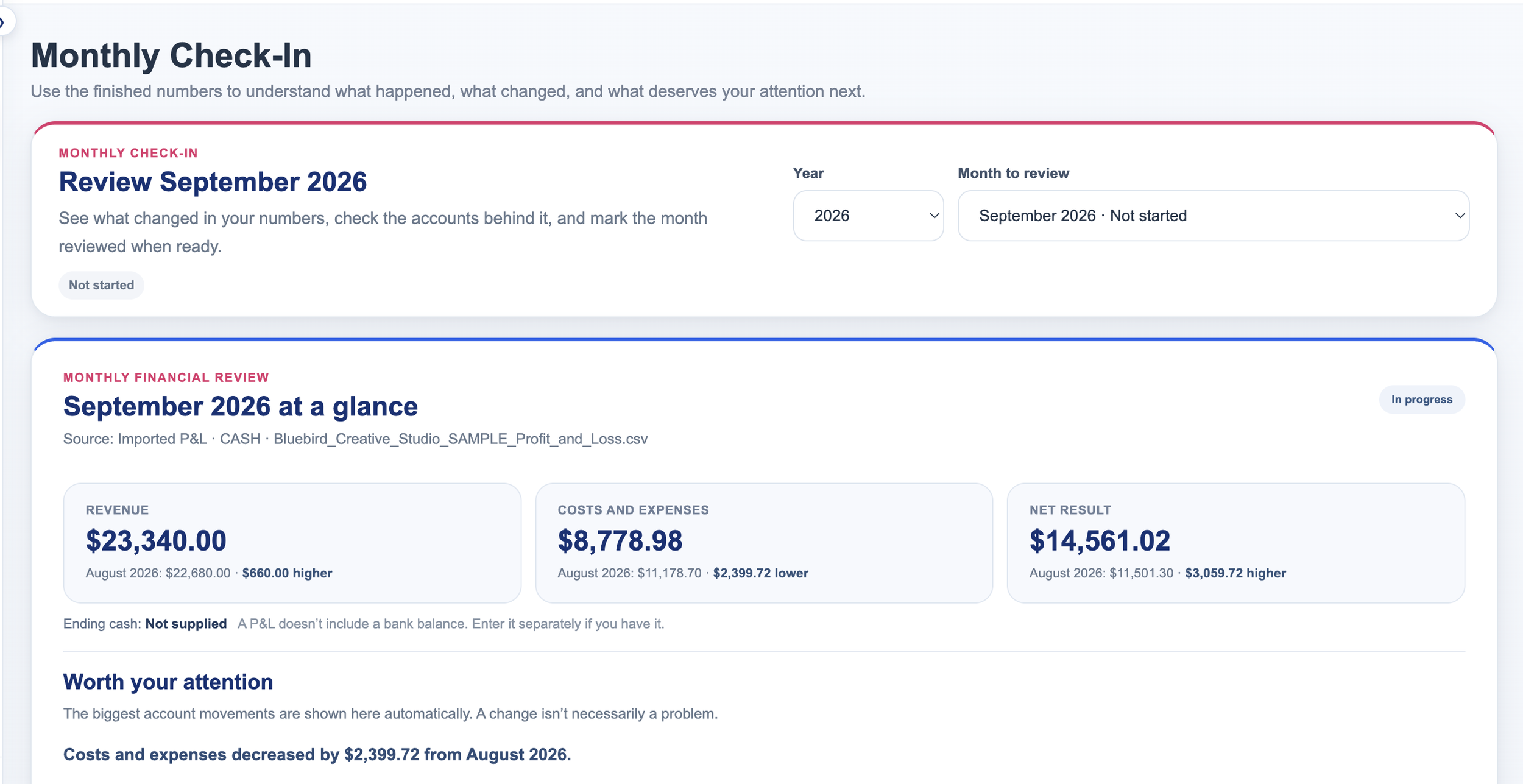
What it shows you
The accounts and dollar amounts behind the month.
Monthly Check-In was designed by a bookkeeper with more than 25 years of experience reviewing small-business books with their owners. It walks you through the questions a bookkeeper would ask once the month is finished.
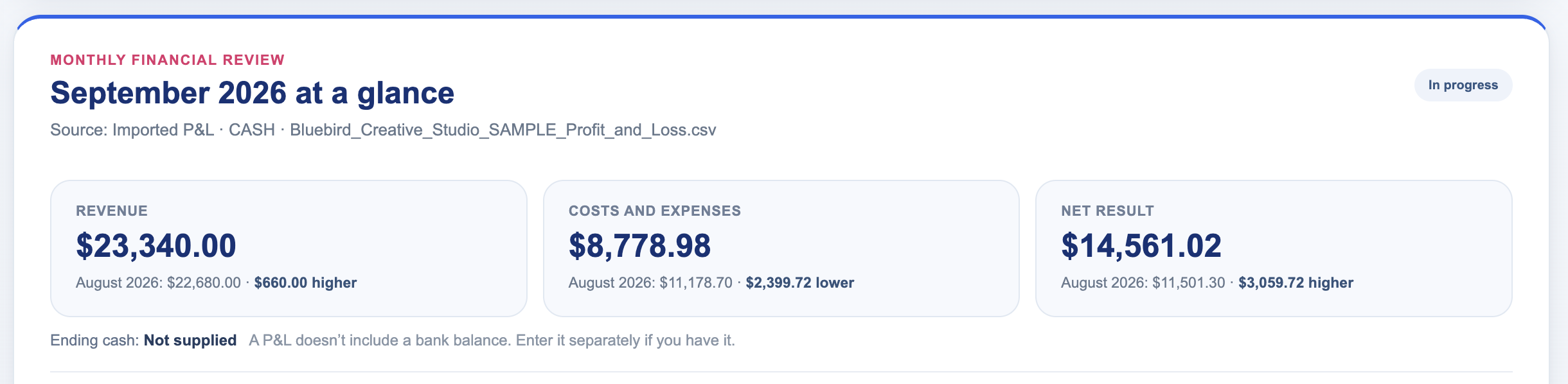
Revenue, expenses, and net profit for the month, with the dollar change from prior months.
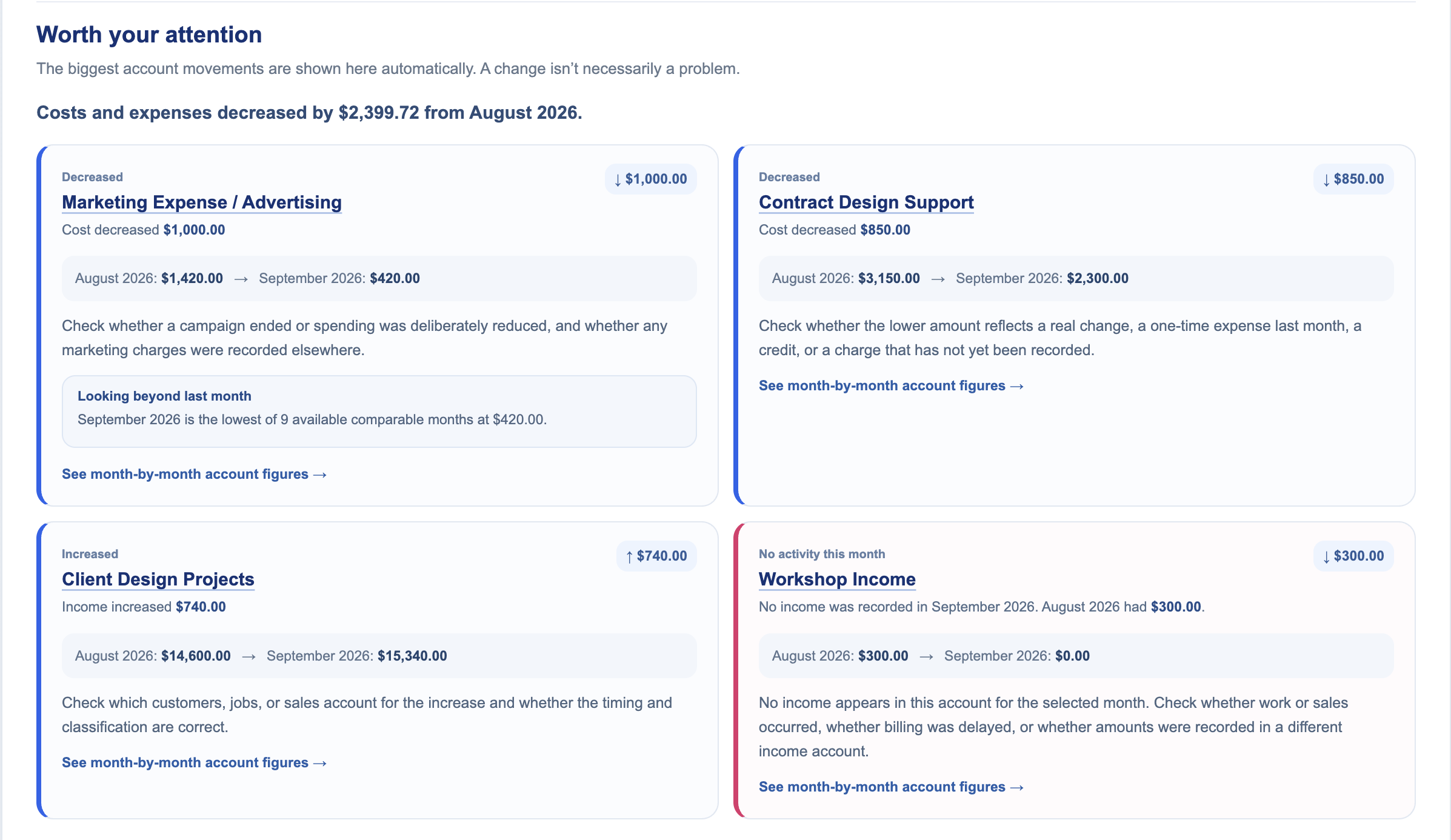
Meaningful changes, with a plain-English explanation of what might be worth checking.
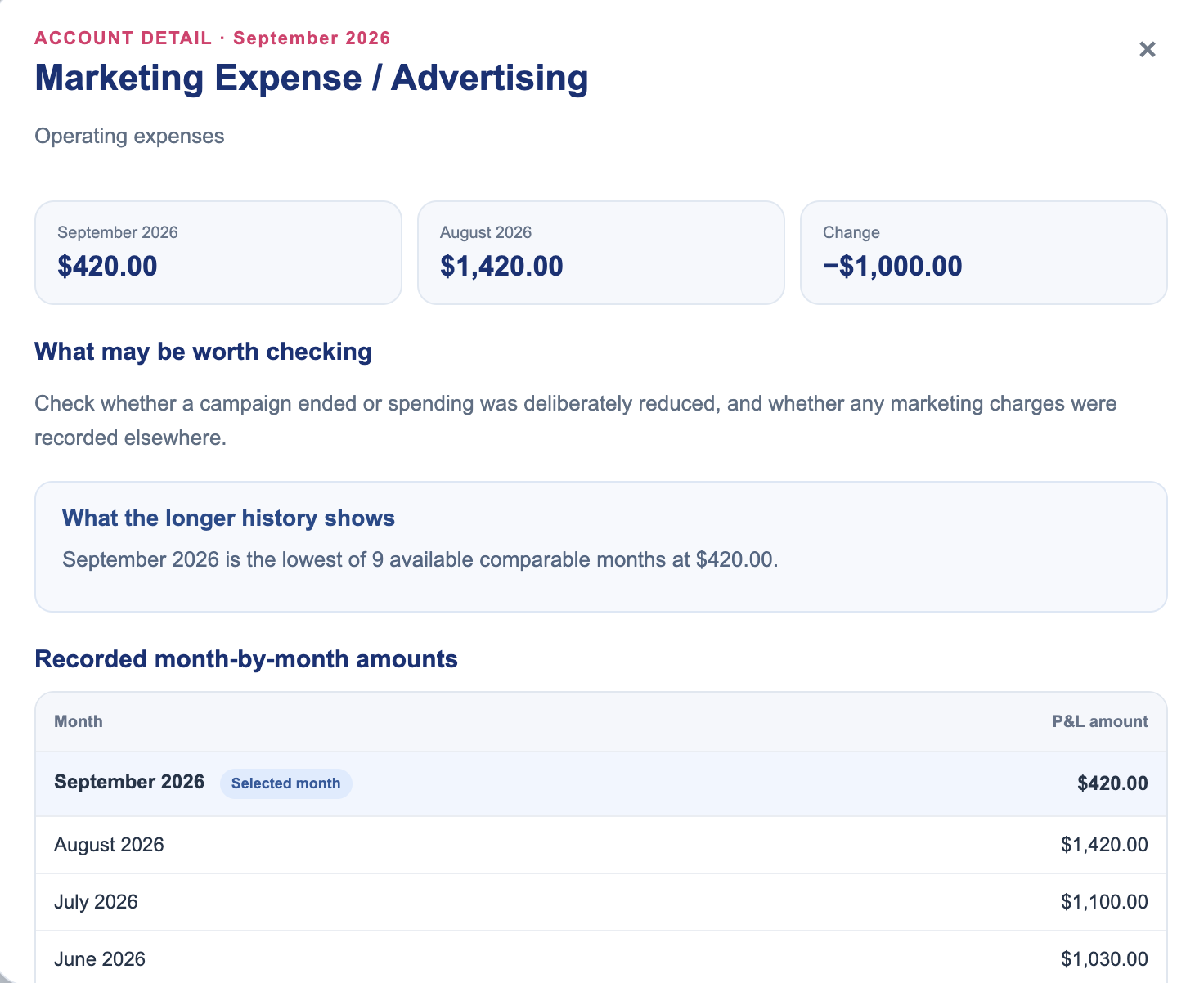
Click any account to see its figures month by month.
How it works
Start with your numbers. The review takes it from there.
With OYB Books
Your numbers are already there.
Monthly Check-In uses the bookkeeping you have recorded in OYB Books. There is nothing to upload.
With another bookkeeping system
Bring them in yourself.
Upload a QuickBooks Profit & Loss CSV, or enter your monthly figures from Xero, a spreadsheet, or another ledger. Nothing syncs automatically.
-
Review the findings
See your results, the accounts that changed, and what might be worth checking.
-
Save the month
Mark it reviewed and your history builds over time. Notes are optional.
-
Look ahead
Financial Rhythm shows the dates and reminders coming up next.
See Financial Rhythm ↓
Financial Rhythm
Know what’s coming before it becomes urgent.
Monthly Check-In helps you understand the month you just finished. Financial Rhythm helps you look ahead at the routines, preparation dates, deadlines, and business reminders that deserve attention next.
Included
OYB monthly rhythm
A steady set of routines that stays on automatically.
- Statements & records check
- Monthly Check-In
- Cash + upcoming obligations glance
- Month-end records cleanup
- Quarterly and year-end financial checkpoints
You choose
Relevant financial reminders
Turn on the reminder types that apply to your business.
- Estimated-tax preparation and due dates
- Federal filing reminders
- Payroll filing preparation and deadlines when applicable
- Contractor / 1099 preparation when applicable
- Year-end preparation reminders
You add
My business
Add your own one-time or recurring reminders, such as:
- CPA meetings
- Business insurance renewals
- Annual reports
- Business licenses
- Loan reviews
- Lease renewals
- Software renewals
- Other business-specific financial dates
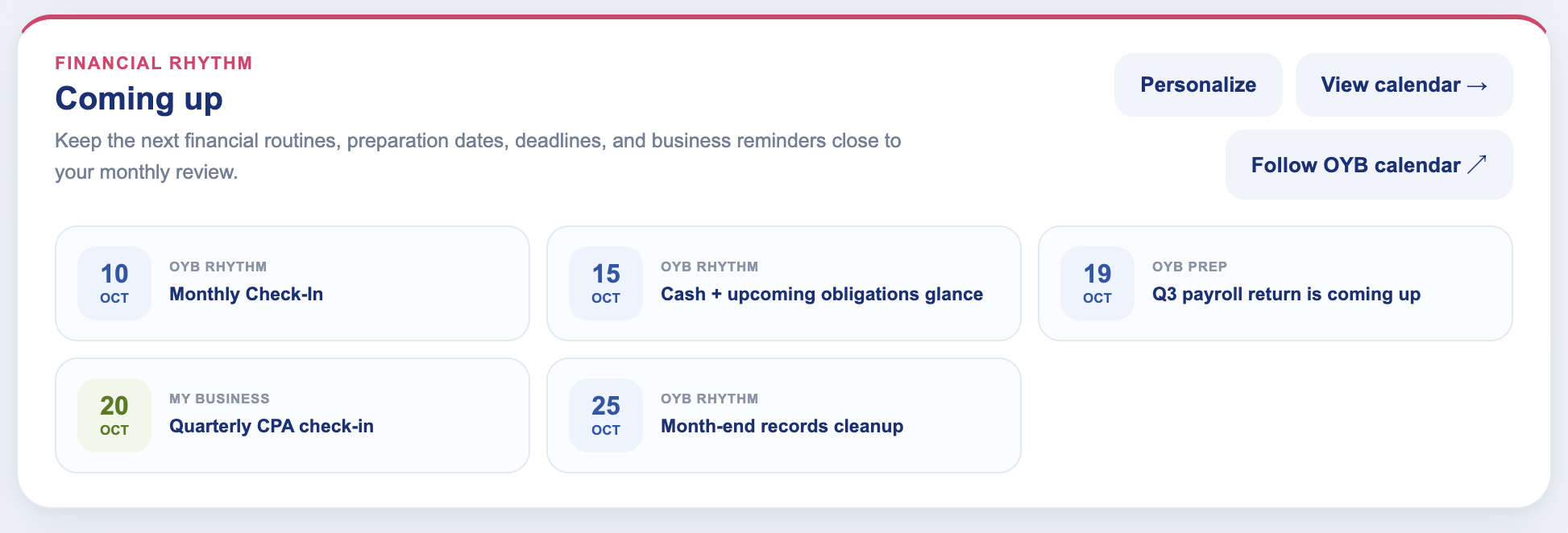
The next few routines, deadlines, and business reminders stay visible while you review the month.
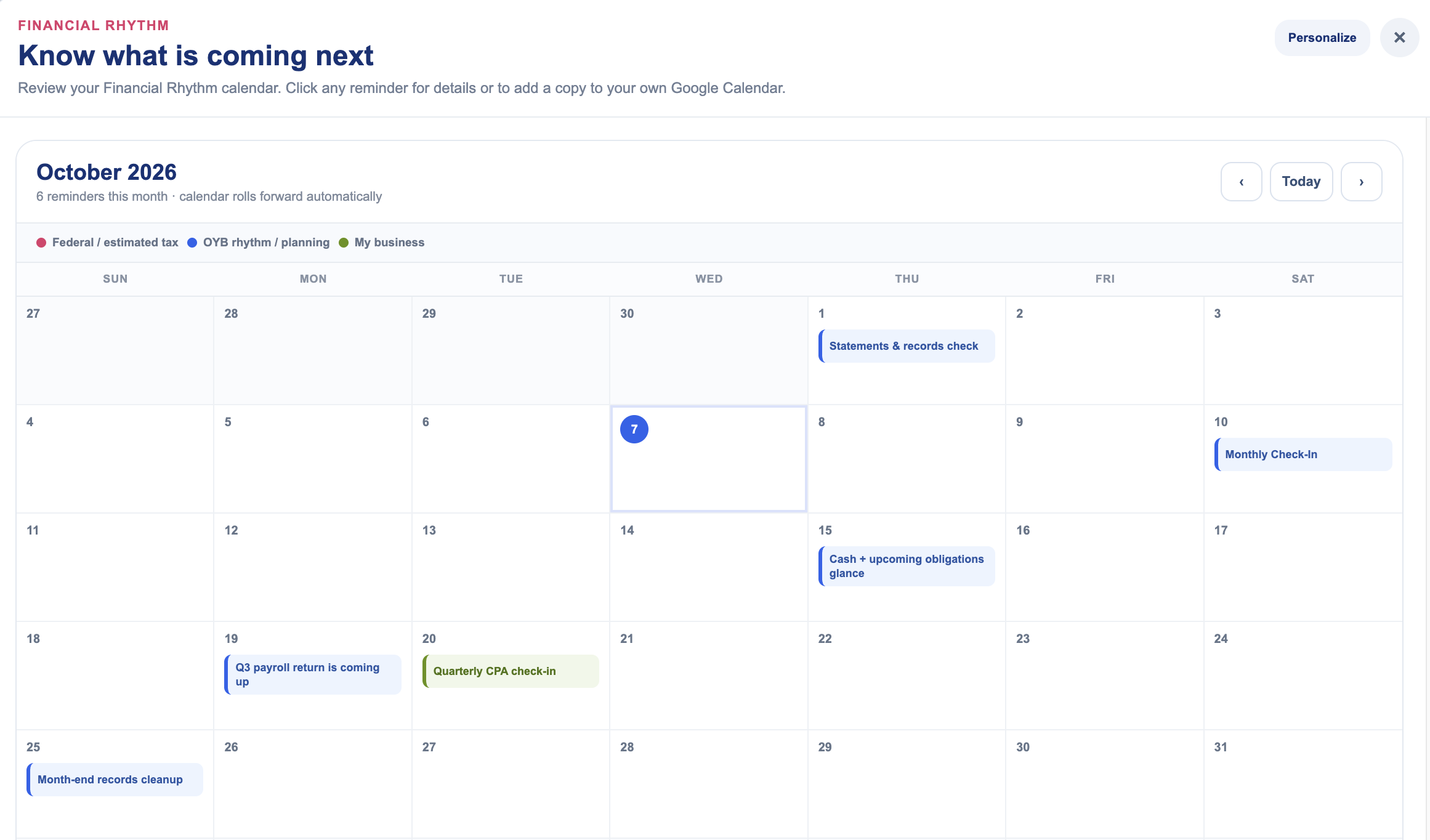
Look further ahead across OYB rhythm dates, relevant financial reminders, and your own business dates.
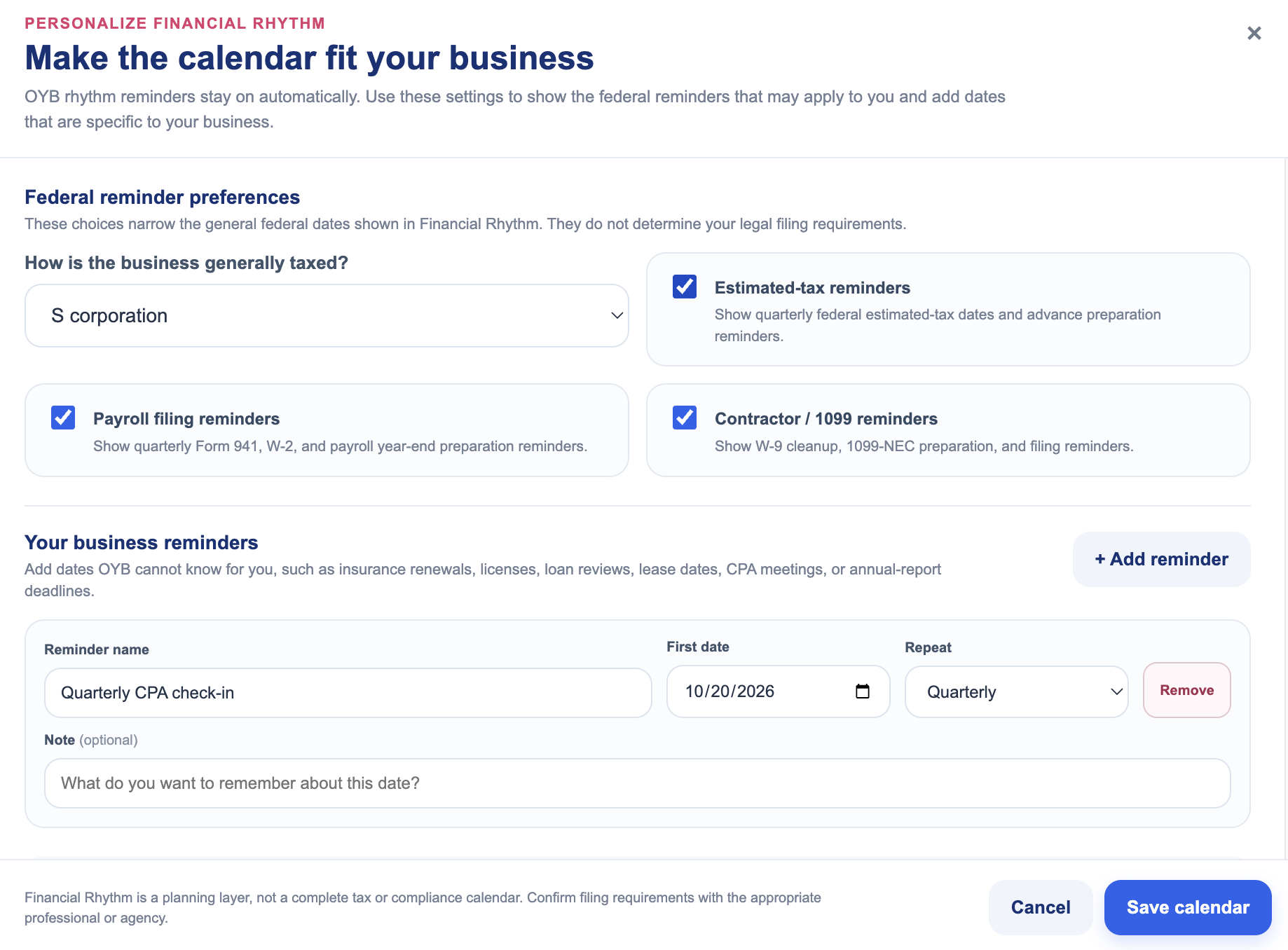
Choose the reminders that fit your business and add your own recurring financial dates.
Financial Rhythm is a practical reminder system. It is not a complete tax or compliance calendar and is not a replacement for professional tax advice. Confirm filing requirements with your tax professional or the appropriate agency.
The important distinction
Monthly Check-In does not replace your bookkeeping.
Your accounting system is where the bookkeeping gets done.
Monthly Check-In comes after that work. It gives you a consistent place to look at the finished month before you move on.
You can use Monthly Check-In alongside OYB Books, or alongside the bookkeeping system you already have.
Bookkeeping
- Record
- Categorize
- Reconcile
- Books up to date
Monthly Check-In
- Review
- Understand
- Plan
- Stay on Track
Beta and pricing
Try it free during the beta.
The beta is free for selected testers who will use Monthly Check-In with real business numbers and share honest feedback.
OYB Monthly Check-In
Planned standalone price after beta
or $90/year
Using OYB Books? Monthly Check-In is included.
Apply to Beta Test Monthly Check-InPaid subscriptions aren’t available yet.
Prefer to wait for the finished release? Join the waitlist →
Questions
Will it work with my bookkeeping software?
Yes. If you use QuickBooks, export a Profit & Loss report as a CSV and upload it. If you use Xero, a spreadsheet, or another ledger, enter your monthly figures manually. Monthly Check-In doesn’t connect to any outside bookkeeping software, so nothing syncs automatically.
Is it included with OYB Books?
Yes. With OYB Books, Monthly Check-In uses the bookkeeping you have already recorded, so there is no separate upload. If you use a different bookkeeping system, Monthly Check-In is available on its own.
What does a QuickBooks import include?
Monthly totals for each account. It doesn’t include individual transactions. If the report covers several months, you get more history to compare from a single upload.
Will it tell me why my numbers changed?
It shows you where they changed and suggests what might be worth checking. It doesn’t determine the cause of a change or predict what will happen next.
Does it do my bookkeeping?
No. It reviews finished numbers, so the bookkeeping for the month should be up to date before you start.
Do I need accounting experience?
No. The observations are written in plain English for the business owner reviewing their own numbers.
Who built it?
A professional bookkeeper with more than 25 years of experience, most of it working directly with small business owners.
Just want to know when it launches? Join the waitlist →